A BNC to BNC cable is a coaxial cable with BNC connectors on both ends. It is commonly used to transmit video, RF, and test signals between compatible devices such as CCTV cameras, monitors, broadcast equipment, and laboratory instruments. Some users also search for this type of cable as “bnc a bnc” or “cable bnc a bnc,” but the meaning is usually the same.
If both devices use BNC interfaces, a BNC to BNC cable is often the most direct and reliable way to connect them. The most important things to check before buying are impedance, cable length, application type, and connector configuration.
If you have searched for BNC to BNC cable, bnc a bnc, or cable bnc a bnc, you are usually looking for the same thing: a coaxial cable with BNC connectors on both ends. These cables are widely used in CCTV systems, broadcast equipment, RF applications, and electronic test instruments because they provide a secure and reliable way to transmit signals.
At the same time, many users also want to understand the basics behind the connection itself. What is a BNC connector? What is a BNC plug? What is a BNC port? And how is BNC different from HDMI? In this guide, we will answer all of those questions in clear, practical language and help you choose the right BNC to BNC cable for your application.
What Is a BNC to BNC Cable?
A BNC to BNC cable is a coaxial cable fitted with a BNC connector on both ends. It is designed to connect two devices that both use BNC interfaces, allowing signals to travel reliably between them.
Depending on the application, those signals may be analog video, digital video, radio frequency signals, or measurement signals. That is why BNC to BNC cables are common in security systems, video production environments, communication equipment, and laboratories.
In some keyword tools and multilingual markets, users may search for this product as “bnc a bnc” or “cable bnc a bnc”. While this phrasing is less standard in English, the search intent is usually the same: people want a cable that has a BNC connection at each end.
Because the BNC interface uses a locking mechanism, it is often preferred in situations where a cable must stay firmly attached. Compared with loose push-in connectors, a BNC connection is more secure and better suited for professional or technical environments.
What Is a BNC Connector?
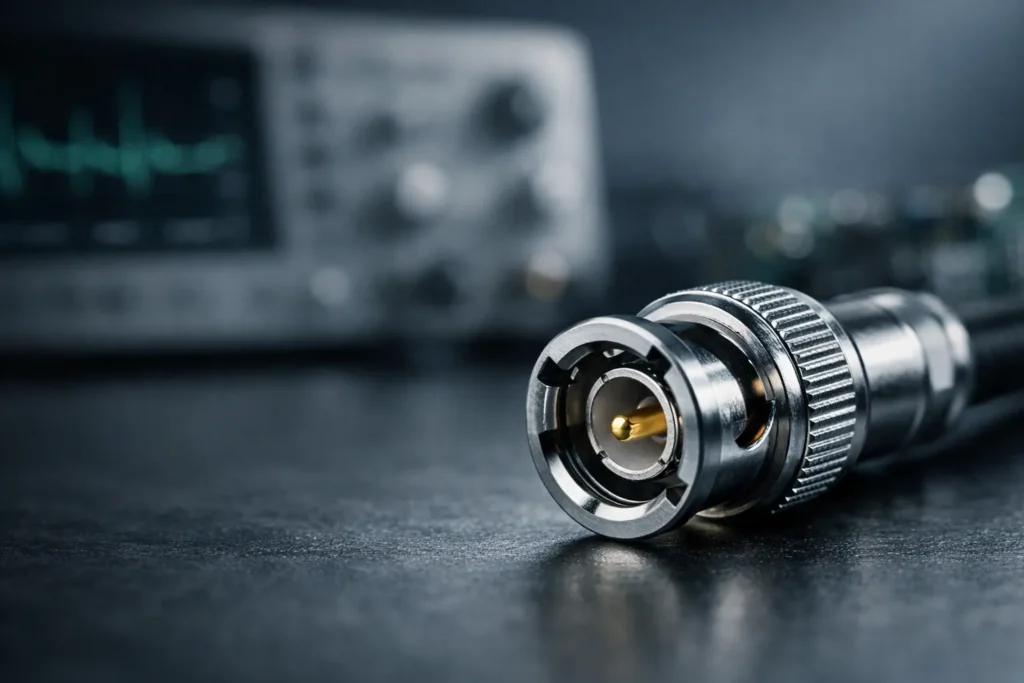
A BNC connector is a type of coaxial connector used for carrying electrical signals. The term “BNC” is commonly associated with a bayonet-style locking design, which lets users connect and lock the cable with a short twist.
If you have searched for what is a BNC or what is a BNC connector, the simplest answer is this: it is a durable connector commonly used for signal transmission in video, RF, and test equipment.
BNC connectors are popular because they offer several practical advantages:
- Quick connection and disconnection
- Secure locking mechanism
- Reliable signal performance
- Compatibility with many professional devices
You will often see BNC connectors on security cameras, DVRs, monitors, SDI video gear, oscilloscopes, signal generators, and communication hardware. In all of these cases, the connector is valued for its stable fit and dependable signal path.
BNC Plug vs. BNC Port: What Is the Difference?
Many users search for what is a BNC plug or what is a BNC port because they are unsure whether these terms mean the same thing. They are related, but not identical.
What Is a BNC Plug?
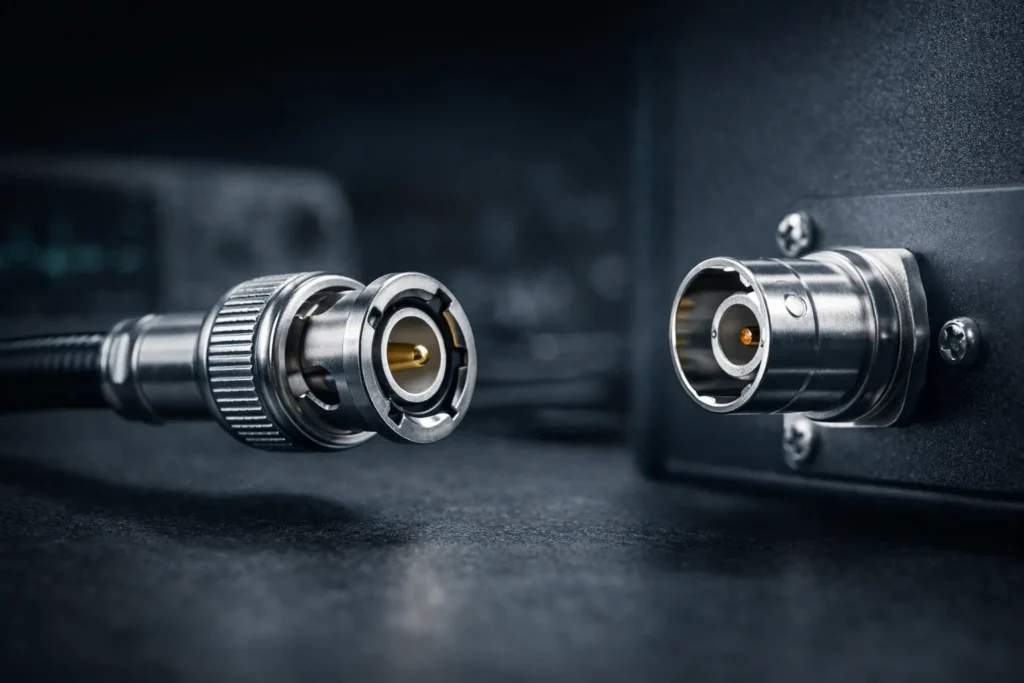
A BNC plug is the connector attached to the end of a cable. In a standard BNC to BNC cable, each end has a BNC plug that connects to a compatible device.
What Is a BNC Port?
A BNC port is the connector interface on the device itself. You may also hear it called a BNC jack or socket. This is where the BNC plug is inserted and locked into place.
Simple Comparison
| Term | Meaning | Where It Is Found |
|---|---|---|
| BNC plug | The cable-end connector | On a BNC cable |
| BNC port | The device-side interface | On cameras, monitors, test equipment, and other hardware |
| BNC connector | A general term that may refer to either side | Used broadly in technical discussions |
Understanding the difference matters when buying cables or accessories. If a device has a BNC port, you need the right BNC plug on the cable to match it.
How Does a BNC to BNC Cable Work?
A BNC to BNC cable works by using a coaxial cable structure to carry signals from one device to another. Inside the cable, there is a central conductor for the signal, surrounded by insulation and shielding. This design helps reduce interference and preserve signal quality.
At each end of the cable, the BNC connector provides a secure mechanical and electrical connection. To connect it, you insert the plug into the device’s BNC port and twist it slightly to lock it. This bayonet-style mechanism is one of the main reasons BNC remains popular in professional and industrial environments.
Because coaxial construction is well suited to controlled signal transmission, BNC to BNC cables are often used when stability matters more than convenience. This is especially true in CCTV installations, broadcast workflows, and measurement systems.
Common Applications of BNC to BNC Cables
BNC to BNC cables are used across a wide range of industries. Here are some of the most common applications.
CCTV and Security Systems
One of the most familiar uses for BNC cables is in analog CCTV systems. Cameras, DVRs, monitors, and distribution equipment often use BNC interfaces to transfer video signals. In these setups, a BNC to BNC cable provides a straightforward and dependable connection.
Broadcast and Professional Video
BNC connectors are also found in professional video equipment, especially in SDI-based workflows. In production and broadcast environments, BNC to BNC cables are used to connect cameras, monitors, routers, switchers, and other signal-processing devices.
Laboratory and Test Equipment
Oscilloscopes, signal generators, waveform analyzers, and other laboratory devices often use BNC connectors. In test environments, cable quality and connector stability are critical, so BNC remains a preferred standard.
RF and Communication Systems
BNC interfaces are also used in radio frequency systems, communication devices, and some antenna-related applications. In these cases, the correct impedance and cable specification are especially important.
CCTV
Reliable analog video transmission between cameras, DVRs, and monitors.
Broadcast
Stable signal handling in SDI workflows and professional video environments.
Test Equipment
Secure connections for oscilloscopes, generators, and measurement devices.
RF Systems
Useful in communication equipment and applications requiring controlled impedance.
How to Choose the Right BNC to BNC Cable
Not all BNC cables are the same. Choosing the right one depends on the type of signal, the devices involved, and the installation environment. Here are the most important factors to consider.
1. Check the Impedance
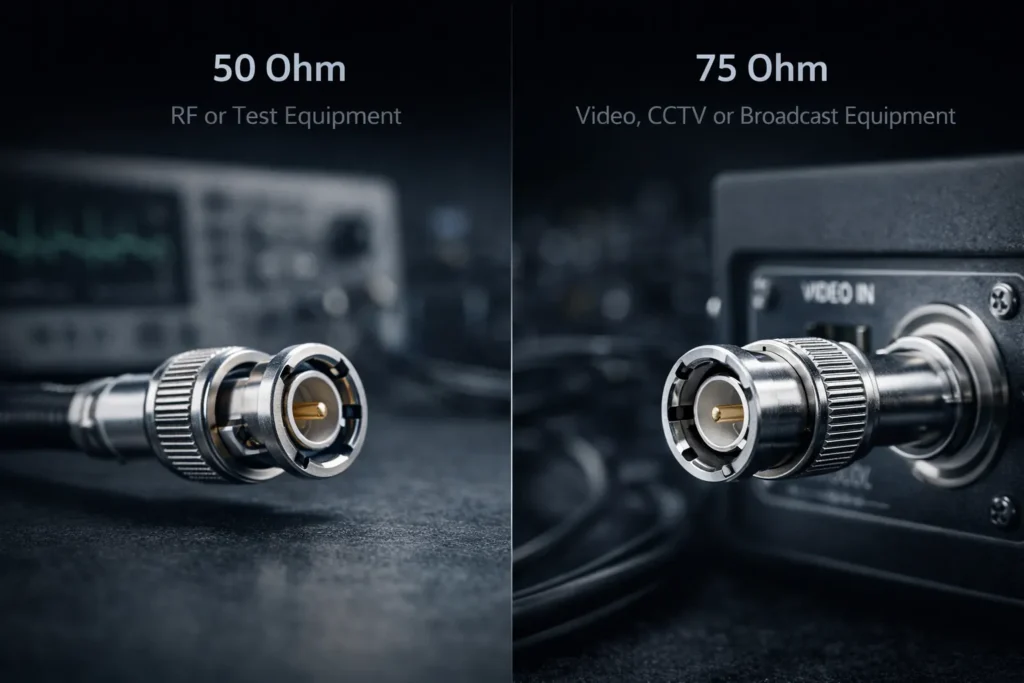
BNC cables are commonly available in 50 ohm and 75 ohm versions. This is one of the most important distinctions.
- 50 ohm BNC cables are often used in RF, radio, and test applications.
- 75 ohm BNC cables are commonly used for video, CCTV, and broadcast applications.
Using the wrong impedance can affect signal integrity, so always match the cable to the system requirement.
2. Choose the Correct Length
The longer the cable, the more signal loss you may experience, especially in high-frequency or long-distance applications. For best results, choose the shortest practical cable length that still fits your installation.
3. Confirm the Application Type
Before buying, ask a simple question: what signal am I transmitting? A cable used for CCTV video may not be the best option for RF measurement, and a cable intended for laboratory use may be unnecessary for a basic monitoring setup.
4. Look at Shielding and Build Quality
Good shielding helps protect signals from external noise and electromagnetic interference. Cable jacket quality, connector durability, and assembly consistency also matter, especially in professional or industrial environments.
5. Verify Connector Type and Gender
Most discussions around BNC to BNC cables refer to cables with BNC male plugs on both ends, but always confirm the exact configuration required by your equipment. Some systems may need adapters, special terminations, or different cable assemblies.
Common Manufacturers and Popular Model Examples
If you are comparing options in the market, it helps to know that BNC to BNC cables are sold in both finished cable assembly form and bulk cable + connector form. Finished assemblies are ready to use, while bulk cable solutions are often selected for custom builds or broadcast installations.
Common Manufacturers
- Pomona Electronics – widely recognized in test and measurement environments, including ready-to-use cable assembly options.
- Amphenol RF – commonly referenced for standard and precision BNC cable assemblies in 50 ohm and 75 ohm versions.
- CANARE – well known in broadcast and professional video cabling.
- Pasternack – strong selection of RF and microwave-style BNC male to BNC male assemblies.
- Belden – especially common as a bulk coaxial cable brand for custom 75 ohm SDI and video assemblies.
Popular Model Examples
| Brand | Model Example | Typical Positioning | Notes |
|---|---|---|---|
| CANARE | D3FBC005E / D3FBC01E / D3FBC03E | Fixed-install BNC(M)-to-BNC(M) cable | Often used in video-oriented environments where 75 ohm performance matters. |
| CANARE | D3C03A-S / D5C05A-S | Mobile-application BNC(M)-to-BNC(M) cable | Designed for applications where more cable flexibility is helpful. |
| Pasternack | PE3067 | BNC male to BNC male cable using RG58 | Common 50 ohm style example for RF and lab use cases. |
| Pasternack | PE3075 | BNC male to BNC male cable using 75 ohm RG59 | More aligned with video-oriented applications. |
| Pasternack | PE3087 | BNC male to BNC male cable using RG223 | Common example when users need a 50 ohm RF assembly. |
| Pasternack | PE33130 | BNC male to BNC male cable using RG178 | Compact flexible coax example. |
| Pomona Electronics | Pomona BNC-C-72 | 50 ohm BNC cable assembly | A representative BNC to BNC RG-58C/U cable option with BNC male connectors on both ends. |
| Pomona Electronics | 72926-C-40 / 72926-C-80 | IEC insulated BNC male to BNC male 50 ohm cable | Often considered in measurement and lab environments. |
| Belden | 1694A | 75 ohm SDI coax cable | Usually referenced as a bulk cable for custom broadcast/video BNC assemblies rather than a fixed finished cable. |
How to Use Manufacturer and Model Information in Purchasing
When users search for specific models, they are often trying to confirm fit, impedance, or installation type. A model tied to RG58 or RG223 is often more relevant to 50 ohm RF work, while a model tied to 75 ohm video cable is more likely to fit CCTV or broadcast video requirements.
Among the brands commonly used in test and measurement environments, Pomona Electronics is a well-known name. A representative example is the Pomona BNC-C-72, a 50 ohm BNC cable assembly based on RG-58C/U construction.
That means the best model is not always the most popular one. The right choice depends on whether you are building a video link, a test setup, or an RF signal path.
BNC to BNC vs. HDMI: What Is the Difference?
Some users searching for bnc a hdmi are trying to understand whether BNC and HDMI are interchangeable. In most cases, they are not.
BNC is a connector format commonly used with coaxial cable for video, RF, and test signals. HDMI is a digital multimedia interface widely used in consumer electronics for audio and video transmission.
- BNC is common in professional, legacy, industrial, surveillance, and technical environments.
- HDMI is common in TVs, laptops, gaming consoles, projectors, and modern consumer displays.
- BNC connections use a locking coaxial connector.
- HDMI connections use a flat digital interface designed for audio and video together.
Because the signal formats and use cases differ, you usually cannot replace a BNC cable with an HDMI cable directly.
| Feature | BNC | HDMI |
|---|---|---|
| Main use | Video, RF, test signals | Digital audio and video |
| Typical environment | CCTV, broadcast, lab, RF | TVs, monitors, laptops, home entertainment |
| Connector style | Bayonet locking coaxial connector | Flat digital multimedia connector |
| Direct interchangeability | No | No |
When Do You Need a BNC to HDMI Converter?
If one device uses BNC and the other uses HDMI, you may need a BNC to HDMI converter. This is common when connecting older surveillance equipment or professional video devices to modern monitors or displays.
It is important to understand that this often requires signal conversion, not just a cable with different ends. A simple passive cable is usually not enough, because the two systems may use different signal standards.
For example, if you want to display a BNC-based camera feed on an HDMI monitor, a converter may be required to translate the signal into a format the display can recognize.
So if your real goal is not BNC to BNC, but rather BNC to HDMI, check whether your application needs an active converter instead of a direct cable.
FAQs About BNC to BNC Cables
Reader Note: The questions below are written in an FAQ-friendly format. If your theme supports accordion or toggle blocks, you can convert each question into a collapsible item for a cleaner FAQ section.
What is a BNC cable used for?
A BNC cable is used to transmit video, RF, or test signals between devices that support BNC connections. It is commonly found in CCTV systems, broadcast equipment, and laboratory instruments.
What is a BNC connector?
A BNC connector is a bayonet-style coaxial connector designed for quick, secure signal connections. It is widely used in video, RF, and measurement systems.
What is the difference between a BNC plug and a BNC port?
A BNC plug is the connector attached to the cable, while a BNC port is the matching interface on a device. The plug locks into the port to create the connection.
What does “bnc a bnc” mean?
In most cases, “bnc a bnc” refers to the same concept as “BNC to BNC.” It usually describes a cable or connection with BNC connectors on both ends.
Can I use a BNC to BNC cable for video?
Yes. BNC to BNC cables are widely used for video transmission, especially in CCTV and professional video systems. Just make sure the cable specification matches your equipment requirements.
What are some common BNC to BNC cable brands?
One commonly referenced brand on MOZ Electronics is Pomona Electronics, including the Pomona BNC-C-72 BNC to BNC cable assembly.
Is BNC the same as HDMI?
No. BNC and HDMI are different connector systems designed for different applications and signal types. In many cases, they are not directly interchangeable.
Do I need a converter for BNC to HDMI?
Often, yes. If your source uses BNC and your display uses HDMI, you may need an active converter rather than a simple cable.
Conclusion
A BNC to BNC cable is a simple but important component in many signal transmission systems. Whether you are working with CCTV equipment, RF hardware, broadcast devices, or test instruments, the right cable helps ensure a secure connection and stable performance.
If you have also seen search terms like bnc a bnc, cable bnc a bnc, what is a bnc connector, what is a bnc plug, or what is a bnc port, they all point back to the same core topic: understanding how BNC connections work and choosing the right solution for your setup.
Before buying, always confirm the impedance, length, application, and connector configuration you need. And if your real use case involves HDMI rather than another BNC device, make sure you check whether a converter is required.
Whether you are sourcing BNC to BNC cables for CCTV, RF, broadcast video, or test applications, choosing the correct impedance, length, and connector configuration is the key to stable performance.