If you’ve heard makers rave about “SBCs” and wondered why people build desktops, retro arcades, smart-home hubs, and robots around a palm-sized PCB—this guide is for you. We’ll unpack what a single board computer is, how it works, how it differs from microcontrollers, what you can build with one, and exactly how to choose the right board for your project.
TL;DR
- A single-board computer (SBC) is a complete computer—CPU, GPU, RAM, storage interfaces, I/O—integrated on a single printed circuit board.
- It runs a full operating system (often Linux, sometimes Android, BSD, or specialized OS images) from microSD, eMMC, or SSD, and can multitask like a laptop or desktop.
- Microcontrollers (MCUs) are different: they don’t run a general-purpose OS; instead, you flash a program that runs one task (deterministically) with very low latency and power draw.
- Use SBCs for desktops, servers, media centers, web and home-automation hubs, edge AI, light development work, robotics control with a rich OS, and gaming/emulation.
- When choosing an SBC, weigh CPU/GPU performance, RAM, storage, I/O (USB, GPIO, camera), networking, software ecosystem, power/thermals, and form factor against your primary use case and budget.
What Exactly Is a Single-Board Computer SBC?
A single-board computer (SBC) is a compact computer where the core electronic components of a PC—processor (CPU), graphics (GPU or display engine), memory (RAM), storage interfaces, and I/O—are integrated on one board. Unlike a desktop tower with separate RAM sticks and a socketed CPU, an SBC ships with those parts soldered in place, minimizing size and simplifying setup.
Most SBCs are credit-card sized (think 85×56 mm), though some are smaller (thumb-sized) or larger (mini-ITX-like footprints). You typically just add power, storage media (microSD or eMMC; some support SATA/NVMe SSD), a display, and peripherals (keyboard/mouse) to get going.
Key characteristics of SBCs:
- Integrated design: CPU, GPU, and RAM are on the board; storage is connected via microSD/eMMC/USB/SATA/NVMe.
- General-purpose OS: Most run Linux (e.g., Debian/Ubuntu-based images), Android, Chrome OS variants, or specialized images for media centers, emulation, or home automation.
- Rich I/O: USB ports, HDMI/DisplayPort/MIPI DSI, camera interfaces (MIPI CSI), Ethernet, Wi-Fi/Bluetooth, GPIO pin headers (for sensors/actuators), and often PCIe lanes for fast storage or add-ons.
- Low cost and low power: SBCs sip power compared with desktops, making them ideal for always-on tasks.
Definition in one line: A single-board computer is a small PC that includes CPU, GPU, RAM, and I/O on a single PCB and runs a full operating system from removable or onboard flash.
How Does a Single-Board Computer Work?
From a software perspective, an SBC behaves like a downsized desktop:
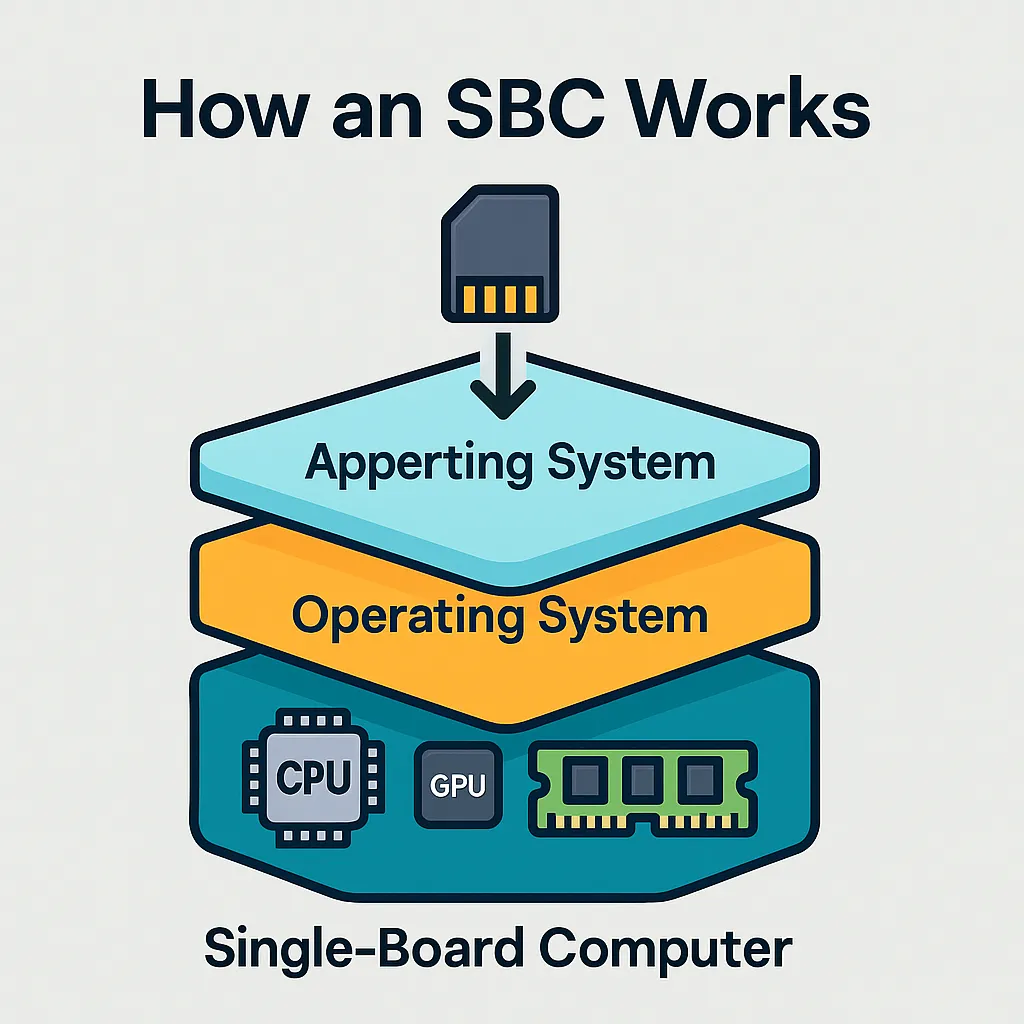
- Bootloader & OS: On power-up, a boot ROM/bootloader initializes hardware and loads the operating system from storage (microSD, eMMC, SATA/NVMe, or USB).
- Kernel & Drivers: The kernel (Linux/Android/etc.) brings up device drivers for CPU cores, GPU, Wi-Fi, Ethernet, USB, display, audio, and GPIO peripherals.
- Userland & Apps: You install packages, run services (web servers, databases, media servers), or use a desktop environment.
- Storage Choices:
Because SBCs run a standard OS, you can stack multiple services: e.g., run Home Assistant, Pi-hole, and a media server simultaneously—resource limits permitting.
SBC vs. MCU (Microcontroller): What’s the Difference?
Both SBCs and MCUs are fantastic for DIY electronics—but they shine in different lanes.

Conceptual difference
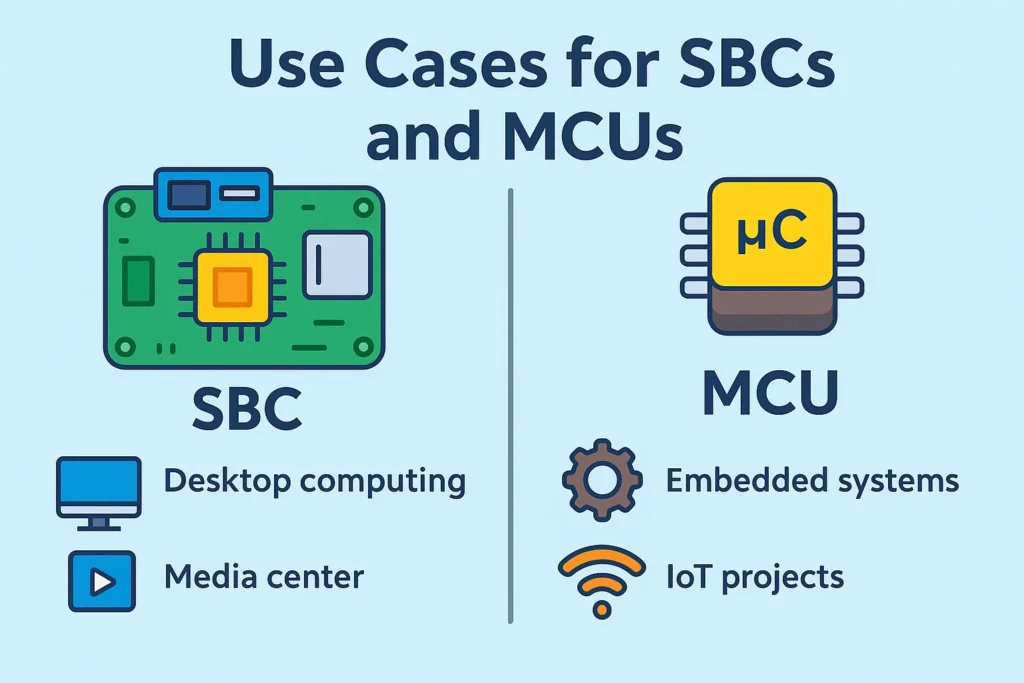
- SBCs: Run a full OS and multitask like a PC. Ideal when you need networking stacks, a filesystem, containers, shell access, and modern programming languages and frameworks.
- MCUs: Run a single compiled program without an OS (or with a tiny real-time OS). Ideal for deterministic control of sensors/actuators with ultra-low latency and very low power.
Architecture Difference of SBC Board vs MCU
| Feature | SBC | MCU |
|---|---|---|
| Exec model | General-purpose OS (Linux/Android/etc.) | Bare-metal or small RTOS program |
| Multitasking | Yes | Typically single program/task loop |
| Resources | 512 MB–16 GB RAM, multi-core CPU, GPU | KBs–MBs of RAM/flash, modest CPU, no GPU |
| I/O | USB, Ethernet, HDMI/DSI, CSI, PCIe, Wi-Fi/BT, GPIO | Rich low-level I/O: ADC, DAC, PWM, UART, SPI, I²C, timers |
| Latency | Non-deterministic (kernel scheduling) | Deterministic (tight control loops) |
| Power | Higher (often 2–15 W) | Ultra-low (milliwatts to a few hundred mW) |
| Programming | OS packages, Python/Go/Node/C/C++, containers | C/C++/MicroPython/CircuitPython, IDE toolchains |
| Use cases | Desktop, servers, gateways, ML at edge | Sensors, motor control, wearables, battery devices |
Practical example:
- MCU (Arduino-class) smart watering: sample soil moisture → if below threshold, enable pump until target moisture → sleep. One program, deterministic, low power.
- SBC smart garden hub: run a web dashboard, record historical data to a database, serve a mobile UI, run automation rules, connect to MQTT/Home Assistant, maybe run a local LLM for offline logic—all at once.
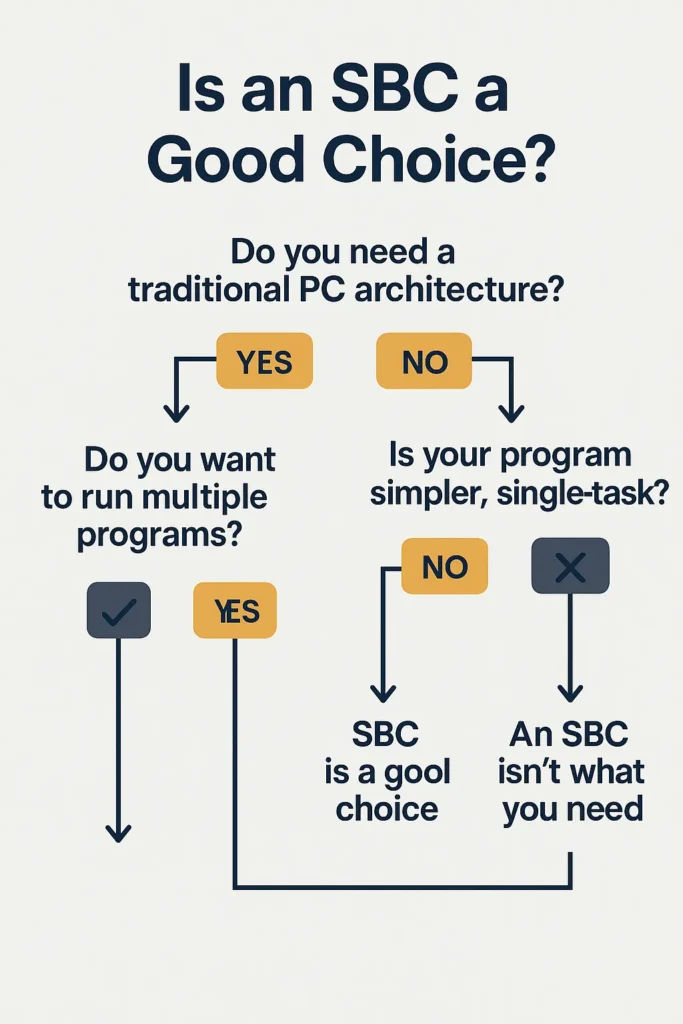
Rule of thumb: Need rich OS features, networking, or multitasking? Choose an SBC. Need hard-real-time control, ultra-low power, or extreme simplicity? Choose an MCU. Many projects combine both: the SBC orchestrates; the MCU handles real-time I/O.
What Can You Build with an SBC Board?
The short answer: almost anything a general-purpose computer can do, scaled to the SBC’s resources. Popular categories:
Desktop & Workstation Lite
Run a lightweight Linux desktop (XFCE, LXQt, GNOME on beefier boards). Great for web browsing, office docs, coding, light photo/audio work, and education labs.
Gaming & Retro Emulation
SBCs excel at retro emulation (RetroPie, Recalbox, Batocera, Lakka), game streaming (Steam Link/Moonlight), and running indie/native Linux titles. Drop one into a DIY arcade cabinet for maximum nostalgia.
Media Centers & Home Theater PCs
Use Kodi or Jellyfin/Plex clients; couple with a NAS or local SSD. Many boards can drive 4K displays, handle HDR (board/OS-dependent), and bitstream audio.
Home Servers & Lab Services
Because they’re tiny and sip power, SBCs are perfect always-on servers:
- Media server (Jellyfin/Plex/Emby)
- Web server (Nginx/Apache), reverse proxy, Let’s Encrypt
- File server/NAS (Samba, NFS, Nextcloud)
- Ad-blocking/DNS (Pi-hole/AdGuard Home)
- Home automation (Home Assistant, OpenHAB, Node-RED)
- Dev services (Git, CI runners, Docker, k3s)
- Self-hosted apps (Plausible, Vaultwarden, Paperless-ngx)
IoT Gateways & Smart-Home Hubs
Bridge Zigbee/Thread/Z-Wave devices via USB/M.2 dongles or built-in radios, run Matter controllers, and orchestrate automations with dashboards, voice assistants, and local AI.
Robotics & Mechatronics
Combine the power of Linux with camera stacks (OpenCV, GStreamer), SLAM libraries, ROS/ROS 2, and GPIO/UART/SPI/I²C for sensors and motor drivers. Many designs pair an SBC “brain” with an MCU “reflex” board.
Edge AI & Computer Vision
Leverage SBCs with NPUs/GPUs or attach accelerators (e.g., via PCIe/USB) for object detection, pose estimation, OCR, or speech—running models locally for privacy and low latency.
Education & Experimentation
Perfect for learning Linux, shell scripting, networks, security, containers, and electronics—with immediate, tangible results.
How to Choose the Right SBC Board
Instead of fixating on model names, match the board’s capabilities to your project. Use this checklist to narrow choices:
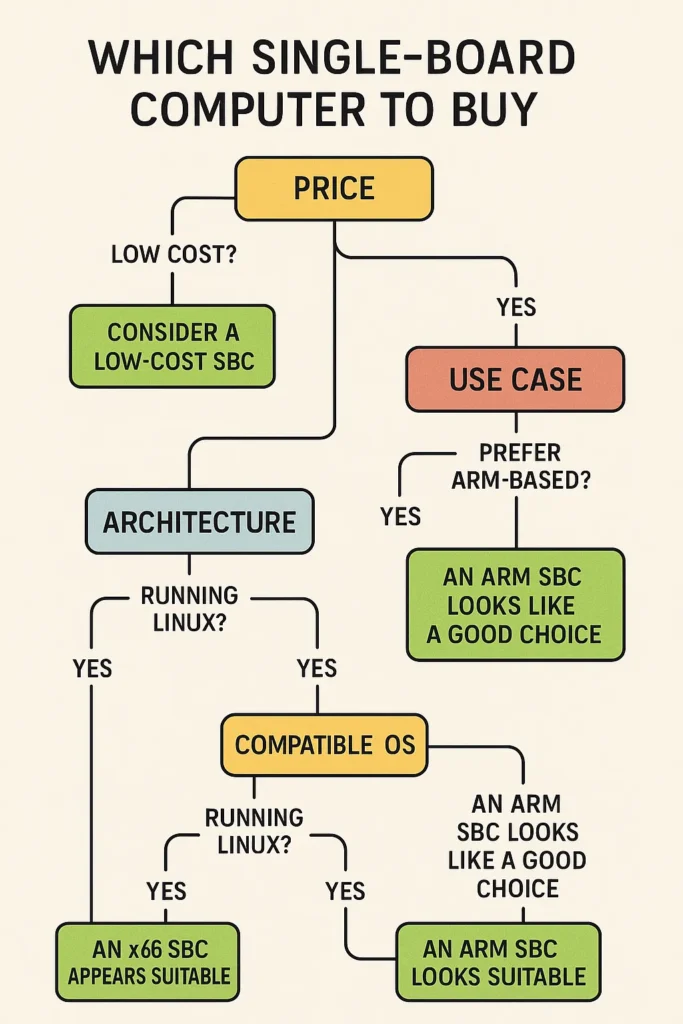
Primary Use Case
- Desktop/Dev: prioritize CPU/GPU performance, 4–8+ GB RAM, video outputs, USB-C/USB 3, reliable storage (NVMe/SATA), and good Linux support.
- Media Center: check video decode (HEVC/H.264/AV1), 4K/HDR support, HDMI 2.0/2.1, and audio passthrough.
- Home Server: focus on RAM, networking (Gigabit Ethernet; maybe dual/PoE), storage (SATA/NVMe, USB 3), and power efficiency.
- IoT/Hub: look for wireless radios (Wi-Fi/BT; Thread/Zigbee with dongles or onboard), GPIO, and lightweight storage.
- Robotics/CV/AI: prioritize camera inputs (CSI), GPU/NPU acceleration, PCIe for accelerators, and GPIO/UART/SPI/I²C.
CPU/GPU & Memory
- Cores/architecture: More cores help with multitasking; modern ARM or x86 cores improve per-thread performance.
- GPU/Display engine: Matters for desktop smoothness and hardware video decode.
- RAM: 2 GB works for single-purpose servers; 4 GB+ recommended for desktops/containers; 8–16 GB for heavy dev/AI.
Storage
- microSD: easy but slower and less durable—fine for light tasks.
- eMMC: good middle ground; many boards support pluggable eMMC modules.
- SATA/NVMe: best for speed and reliability, especially for databases, media libraries, and dev work. Check for PCIe lanes and M.2 slots.

SBC Storage: microSD vs eMMC vs SSD
- microSD: Cheapest, frictionless. Use A2-rated cards for better random I/O. Keep backups; cards can wear out under write-heavy workloads.
- eMMC: Faster, more robust than microSD. Great OS drive for general tasks.
- SATA/NVMe SSD: Order-of-magnitude faster, far more durable. Ideal for databases, search indices, and media libraries. Many boards can boot from SSD—check documentation.
Tip: For reliability, keep the OS and logs on SSD, and reserve microSD for recovery images or boot stubs.
I/O & Expandability
- USB: Prefer USB 3.x for fast peripherals; USB-C PD is a plus.
- Networking: Gigabit Ethernet for servers; consider Wi-Fi 6/BT 5.x for clients/gateways.
- GPIO & busses: 40-pin headers (Raspberry-Pi-style) for HATs and sensors; UART/SPI/I²C for embedded integrations.
- Camera/Display: MIPI CSI/DSI for custom builds; HDMI/DP for general monitors/TVs.
- PCIe/M.2: Enables NVMe SSDs, 2.5 GbE NICs, AI accelerators, and extra USB controllers.
Software & Community
- Board-specific images (Debian/Ubuntu/Yocto/Buildroot/Android) and a maintained kernel matter.
- Ecosystem size affects docs, troubleshooting, HAT compatibility, and how quickly issues get fixed.
Power, Thermals, and Reliability
- Check idle/load power if running 24/7.
- Plan for heatsinks/fans under sustained CPU/GPU loads to avoid throttling.
- Prefer stable power supplies (clean 5 V/12 V) and quality microSD/SSD to prevent corruption.
Physical Form Factor
- Will it fit your case, mounting, and cable routing?
- Are connectors oriented sensibly for your enclosure or rack?
Networking & Connectivity Considerations
- Ethernet: Prefer Gigabit for file serving/streaming; PoE simplifies power+data over a single cable.
- Wi-Fi/BT: Handy for clients and mobile builds; watch antenna placement in enclosures.
- Serial/Field busses: UART/I²C/SPI are your friends for sensor networks, motor controllers, and MCU links.
- IoT protocols: MQTT for messaging; Matter/Thread/Zigbee/Z-Wave via USB/M.2 radios or onboard chipsets.
Power Budgeting & Thermal Design
- Power headroom: If a board lists 5 V/3 A, supply at least that plus margin for USB peripherals and SSDs.
- Cable quality matters: Undersized leads cause brownouts and SD corruption.
- Cooling: A simple heatsink helps; active cooling (fan) prevents throttling under sustained load. For silent builds, use a larger passive heatsink case.
Security & Maintenance Basics
- First boot: Change passwords/SSH keys; update packages.
- Backups: Image your boot media; back up configs (Ansible, dotfiles, Compose files).
- Filesystem health: Use journaling filesystems; avoid yanking power—consider a UPS for servers.
- Network hygiene: Use firewalls (ufw), reverse proxies, and TLS certificates (Let’s Encrypt).
- Updates: Track your board’s kernel and device-tree updates—hardware enablement often improves over time.
Popular SBC Boards
Not sure where to start? Here’s a curated shortlist of well-supported SBCs, grouped by common use cases. Skim to the category that matches your project—desktop/media, servers, AI/vision, industrial I/O, or ultra-small IoT—then check RAM, storage (NVMe/SATA/eMMC), networking (GbE/2.5GbE/PoE), I/O (GPIO/CSI/DSI/PCIe), and community support before you buy.
Entry-level / General-purpose
- Raspberry Pi 4 / Raspberry Pi 5 – Huge ecosystem; desktop, media center, Home Assistant, learning.
- Raspberry Pi Zero 2 W – Tiny, low power; lightweight IoT and sensor gateways.
AI / Vision & Higher Performance
- NVIDIA Jetson Nano / Xavier NX / Orin Nano – Strong GPU/AI acceleration for vision, edge inference, robotics.
- Khadas VIM4 / Edge – Capable multimedia with NPU options; media and light AI.
Industrial / Real-time I/O
- BeagleBone Black / BeagleBone AI-64 – PRU real-time units and rich industrial interfaces; control/automation.
Multimedia / Everyday Desktop
- ODROID N2+ / M1 – Stable performance, eMMC/SSD options; NAS, media server, general computing.
- ASUS Tinker Board S – Polished multimedia support; media playback, education.
High Value / Active Open Community
- Orange Pi 5 / 5 Plus (RK3588) – Strong performance; desktop, media, light AI.
- Radxa Rock 5B / Rock Pi 4 – PCIe/NVMe friendly; NAS, dev work, containers.
x86-based (Windows or standard x86 Linux)
- LattePanda Delta / Alpha – Intel platform; Windows/Linux desktop, maker projects.
- UDOO Bolt / UDOO x86 – More x86 horsepower; desktop replacement, prototyping.
- Seeed Odyssey (J4105/J4125) – Low power, lots of I/O; home server, edge gateway.
NAS / Server-oriented
- PINE64 RockPro64 – PCIe for SSDs; DIY NAS, Docker host.
- Helios64 (discontinued but still seen) – Multiple SATA ports; dedicated NAS/file server.
Other familiar families
- Banana Pi (BPI-M5/M2 Pro, etc.) – Broad model range; general use and education.
- PINE A64 / Quartz64 – Budget-friendly; learning and general projects.
SBC Board Example Project Blueprints
All-in-One Home Lab Node
- Board: 4–8 GB RAM, Gigabit Ethernet, NVMe slot
- OS: Debian/Ubuntu Server
- Services: Docker + Compose; Nginx reverse proxy; Jellyfin media server; Pi-hole; Home Assistant; PostgreSQL
- Storage: NVMe SSD (apps/data), microSD (bootloader only)
- Notes: Use watchtower or a CI pipeline for clean updates. Add a UPS HAT for resilience.
Living-Room Media & Retro Box
- Board: 2–4 GB RAM, 4K-capable HDMI, decent GPU decode
- OS: Batocera or RetroPie (for emulation) / LibreELEC (for Kodi)
- Peripherals: Bluetooth controllers, IR remote, USB DAC if needed
- Notes: Store ROMs/media on SSD; enable integer scaling/shaders to taste.
Vision-Enabled Robot Brain
- Board: Camera CSI, 4–8 GB RAM, GPU/NPU or PCIe for accelerator
- OS: Ubuntu + ROS 2
- Stack: OpenCV, SLAM, sensor fusion; MCU co-processor for motor PWM and hard real-time
- Notes: Split responsibilities: SBC for high-level planning, MCU for control loops.
Frequently Asked Questions
Q: Can an SBC replace my desktop?
A: For light workloads—web, email, coding, docs—yes, with a suitable board (4–8 GB RAM, GPU/video outputs) and SSD. For heavy browsers with dozens of tabs or big creative workloads, a laptop/desktop still wins.
Q: Do I need a microSD card if my board has eMMC or NVMe?
A: Not necessarily. Many boards can boot directly from eMMC/NVMe. Some use microSD only for a bootloader. Check your board’s docs.
Q: Is Linux required?
A: No. Many SBCs also run Android, Chrome OS-like builds, BSD, or specialized images (media centers, retro OSs). Linux tends to have the widest support.
Q: How durable is microSD for 24/7 servers?
A: It works for light duty, but frequent writes can wear cards. For reliability, use SSD for persistent data and logs.
Q: Can I use an SBC for AI?
A: Yes—choose boards with NPUs/GPUs or attach accelerators over PCIe/USB. Expect edge-sized models, not datacenter-class.
Q: Do I need cooling?
A: If you run sustained CPU/GPU loads or live in a warm environment, plan on at least a heatsink; consider a fan for top performance.
Conclusion: Why SBCs Matter
Single-board computers compress the power of general computing into a tiny, affordable, and energy-efficient package. They let you learn Linux, automate your home, self-host services, build robots, stream retro games, and prototype new products—all with a board you can hold in one hand.
If you remember nothing else, remember this:
- SBCs = small PCs that multitask and run a full OS.
- MCUs = tight control loops for one job, ultra-reliably and ultra-efficiently.
- The best projects often combine both—an SBC for brains, an MCU for reflexes.
Pick a board that fits your use case, plan for solid storage and power, and lean on the community. The rest is just you, your ideas, and a whole lot of fun builds ahead.