The ESPRESSIF ESP32-C3 Super Mini is a compact Wi-Fi + Bluetooth 5 (BLE) development board based on the ESP32-C3 RISC-V microcontroller. It features a single-core 32-bit RISC-V CPU (up to 160 MHz), 2.4 GHz Wi-Fi, BLE 5.0, USB-C connectivity, and multiple GPIOs for IoT and embedded applications.
On most ESP32-C3 Super Mini boards, the built-in LED is connected to GPIO8, although this may vary slightly depending on the manufacturer.
What Is the ESP32-C3 Super Mini?
The ESP32 C3 Super Mini is an ultra-compact development board designed for low-cost, low-power IoT applications. It uses the ESP32-C3 SoC, which is Espressif’s RISC-V based Wi-Fi + BLE microcontroller series.
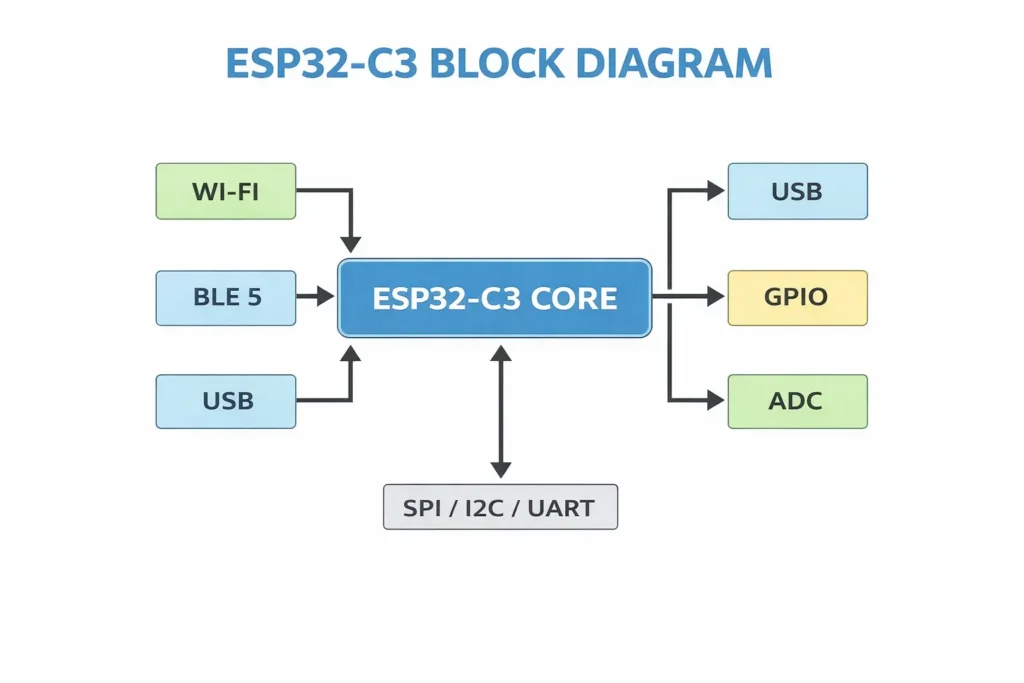
Compared to classic ESP32 boards, the ESP32-C3:
-
Uses RISC-V architecture
-
Supports Wi-Fi 4 (802.11 b/g/n)
-
Supports Bluetooth 5 LE
-
Offers improved security (Secure Boot + Flash Encryption)
-
Consumes less power
-
Is optimized for mass production IoT nodes
Because of its small footprint and USB-C interface, the ESP32-C3 Super Mini is widely used in:
-
Smart sensors
-
Wearable devices
-
Home automation nodes
-
BLE gateways
-
Battery-powered IoT products
-
Low-cost Wi-Fi modules
For production deployments, many teams prototype with the Super Mini, then integrate an ESP32-C3 module directly onto custom PCBs.
ESP32-C3 Super Mini Specifications
| Feature | Specification |
|---|---|
| MCU | ESP32-C3 (RISC-V, 32-bit) |
| CPU Speed | Up to 160 MHz |
| Wireless | 2.4 GHz Wi-Fi + BLE 5 |
| Flash | Typically 4 MB |
| SRAM | 400 KB (on-chip) |
| GPIO | Up to 22 programmable GPIOs |
| ADC | 12-bit SAR ADC |
| Interfaces | UART, SPI, I2C, I2S |
| USB | Native USB 2.0 |
| Operating Voltage | 3.3V |
| Power Input | 5V via USB-C |
ESP32-C3 Super Mini Built-In LED Pin
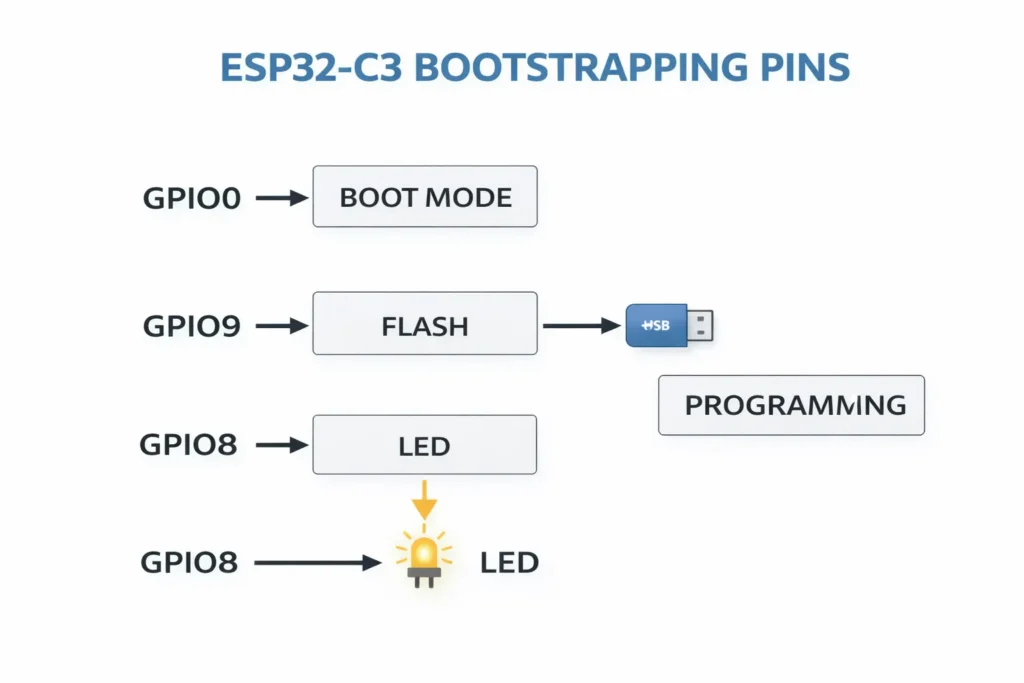
Which GPIO Controls the Built-In LED?
On most ESP32-C3 Super Mini boards:
The built-in LED is connected to GPIO8
However, some manufacturers may connect it to:
-
GPIO2
-
GPIO7
-
GPIO9
Always verify using:
-
Board silkscreen
-
Schematic (if available)
-
Simple LED test sketch
Example Code (Arduino IDE)
If the LED does not blink, try changing the pin number to 2, 7, or 9.
Why GPIO8 Is Common
GPIO8 is frequently chosen because:
-
It is not typically a strapping pin
-
It avoids USB conflict pins
-
It is easily accessible
-
It works safely at boot
Be cautious when using boot-related pins like GPIO2, GPIO9, or GPIO10.
ESP32-C3 Super Mini Pinout Guide
Understanding the ESP32-C3 Super Mini pinout is essential before connecting sensors or peripherals.
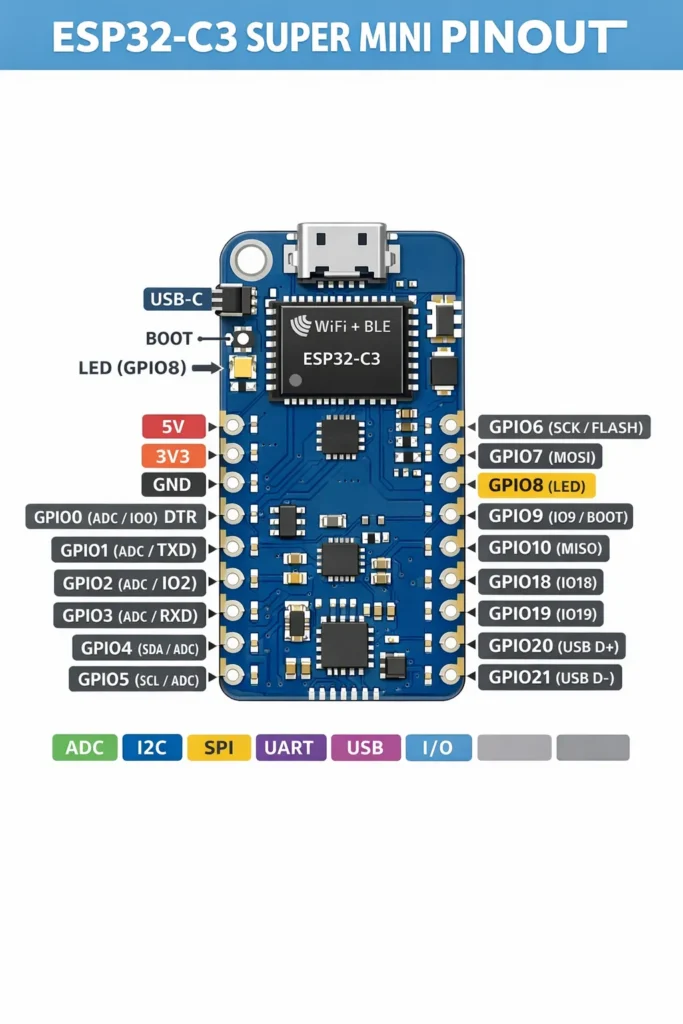
Power Pins
| Pin | Function |
|---|---|
| 5V | USB power input |
| 3V3 | Regulated 3.3V output |
| GND | Ground |
⚠️ Important: All GPIO operate at 3.3V logic level. Never apply 5V directly.
GPIO Overview
Common GPIO pins available on most ESP32-C3 Super Mini boards:
GPIO0 – Boot button
GPIO1 – UART TX
GPIO3 – UART RX
GPIO4 – General I/O
GPIO5 – General I/O
GPIO6 – SPI
GPIO7 – General I/O
GPIO8 – Built-in LED (usually)
GPIO9 – Boot-related
GPIO10 – SPI Flash
GPIO18 – General I/O
GPIO19 – General I/O
GPIO20 – USB D+
GPIO21 – USB D−
Note: Exact pin exposure may vary depending on the board layout.
ADC Pins
ESP32-C3 includes a 12-bit ADC. Typical ADC-capable pins include:
-
GPIO0
-
GPIO1
-
GPIO2
-
GPIO3
-
GPIO4
Use these for:
-
Analog sensors
-
Battery voltage monitoring
-
Potentiometers
Communication Interfaces
I2C
Can be mapped to almost any GPIO via software.
Common example:
-
SDA → GPIO4
-
SCL → GPIO5
SPI
Common pins:
-
MOSI → GPIO6
-
MISO → GPIO7
-
SCLK → GPIO10
UART
Default:
-
TX → GPIO1
-
RX → GPIO3
Boot Mode & Strapping Pins
Certain pins affect boot behavior:
| Pin | Function |
|---|---|
| GPIO0 | Boot mode selection |
| GPIO2 | Strapping pin |
| GPIO9 | Flash-related |
| GPIO8 | May be strapping on some variants |
Improper pull-up or pull-down resistors can prevent boot.
Best practice:
-
Avoid external circuitry on boot pins unless necessary.
-
Check Espressif datasheet before final PCB design.
ESP32-C3 Super Mini vs Classic ESP32
| Feature | ESP32 | ESP32-C3 |
|---|---|---|
| Architecture | Xtensa | RISC-V |
| Bluetooth | BT Classic + BLE | BLE 5 Only |
| Power | Higher | Lower |
| USB | No native | Native USB |
| Cost | Slightly higher | Lower |
For low-cost Wi-Fi + BLE IoT nodes, the ESP32-C3 Super Mini is often the better production choice.
ESP32-C3 vs ESP32-S3: Which One Should You Choose?
When selecting between ESP32-C3 and ESP32-S3, the decision is not about which chip is “better” — it’s about which architecture aligns with your product’s performance requirements, cost target, and long-term roadmap.
The ESP32-C3 is optimized for low-cost, low-power IoT nodes. With its RISC-V single-core architecture, Wi-Fi + BLE 5 connectivity, and native USB support, it is ideal for smart sensors, compact wireless modules, and scalable production designs. If your application prioritizes cost efficiency and wireless connectivity over heavy processing, the ESP32-C3 series is often the most economical and production-friendly choice.
The ESP32-S3, on the other hand, is designed for higher performance embedded systems. Featuring a dual-core Xtensa LX7 CPU running up to 240 MHz, enhanced vector instructions for AI/DSP workloads, larger memory configurations, and richer peripheral support, it is better suited for HMI interfaces, edge AI devices, audio processing, and advanced IoT gateways. For compute-intensive or feature-rich designs, explore the ESP32-S3 series for greater headroom and scalability.
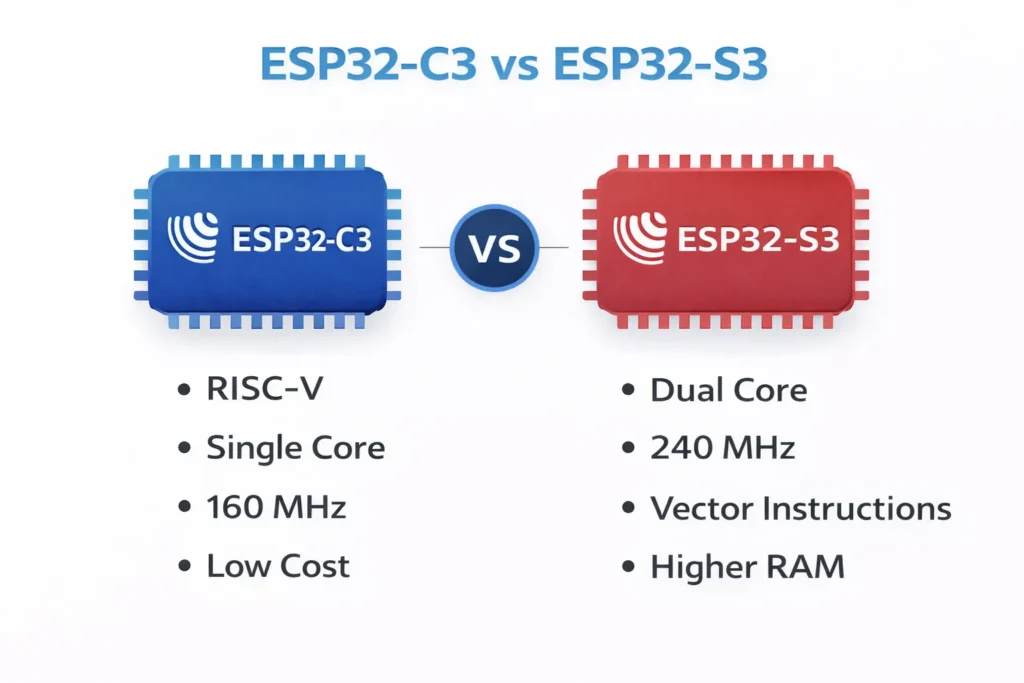
In short:
-
Choose ESP32-C3 for cost-sensitive wireless IoT nodes.
-
Choose ESP32-S3 for higher performance, UI-heavy, or AI-enhanced applications.
The comparison table below breaks down the technical differences in more detail to help you make an engineering-informed decision.
| Category | ESP32-C3 | ESP32-S3 |
|---|---|---|
| CPU architecture | 32-bit RISC-V, single-core | 32-bit Xtensa LX7, dual-core |
| Max CPU frequency | Up to 160 MHz | Up to 240 MHz |
| Wireless | 2.4 GHz Wi-Fi + BLE 5 | 2.4 GHz Wi-Fi + BLE 5 |
| Bluetooth Classic | No (BLE only) | No (BLE only) |
| USB | Native USB 2.0 (OTG) (common on C3 boards) | Native USB 2.0 (OTG) |
| AI/Vector accel | No | Vector instructions (helpful for DSP/ML workloads) |
| Typical RAM | Lower vs S3 (chip-dependent) | Higher vs C3 (chip-dependent) |
| Typical use case | Low-cost IoT nodes, sensors, BLE + Wi-Fi devices | UI-heavy, higher compute, audio/vision, more peripherals |
| Cost (typical) | Lower | Higher |
| Best pick when… | You want cheapest Wi-Fi+BLE and simple firmware | You want more CPU + RAM, peripherals, heavier apps |
ESP32-C3 and ESP32-S3 are both Wi-Fi + BLE microcontrollers from Espressif, but they target different performance levels. ESP32-C3 uses a single-core RISC-V CPU (up to 160 MHz) and is optimized for low-cost, low-power IoT nodes. ESP32-S3 features a dual-core Xtensa LX7 CPU (up to 240 MHz), larger memory options, and vector instructions for AI/DSP workloads. Choose ESP32-C3 for simple wireless devices and ESP32-S3 for higher-performance, UI, or edge AI applications. More Comparison: ESP32-C6 vs ESP32-S3.
ESP32-C3 Super Mini Applications
The ESP32-C3 Super Mini is ideal for:
✔ Smart switches
✔ BLE beacons
✔ Wi-Fi sensors
✔ Environmental monitoring
✔ IoT relay modules
✔ Low-power edge devices
From Prototype to Production
Many engineers follow this path:
-
Prototype with ESP32-C3 Super Mini
-
Validate firmware
-
Switch to ESP32-C3 module
-
Integrate into custom PCB
-
Optimize BOM cost
For mass production, using certified ESP32-C3 modules simplifies RF compliance.
Frequently Asked Questions About ESP32-C3 Super Mini
Is ESP32-C3 Super Mini 5V tolerant?
No. All GPIO are 3.3V only.
What is the default built-in LED pin?
Usually GPIO8.
Does ESP32-C3 support Bluetooth Classic?
No. It supports BLE 5 only.
Can I use Arduino IDE?
Yes. Install the Espressif ESP32 board package and select ESP32-C3.
Is ESP32-C3 good for battery devices?
Yes. It consumes less power than classic ESP32 and supports light sleep and deep sleep modes.
Final Thoughts
The ESP32-C3 Super Mini offers one of the best cost-to-performance ratios in the modern IoT ecosystem. With native USB, RISC-V architecture, strong security features, and Wi-Fi + BLE integration, it is well suited for both prototyping and scalable product development.
When selecting pins, always verify:
-
Built-in LED pin (commonly GPIO8)
-
Boot strapping pins
-
Voltage levels
-
USB pin conflicts
For production applications, consider migrating from development board to certified ESP32-C3 modules for long-term supply stability.